A branded customer buylist
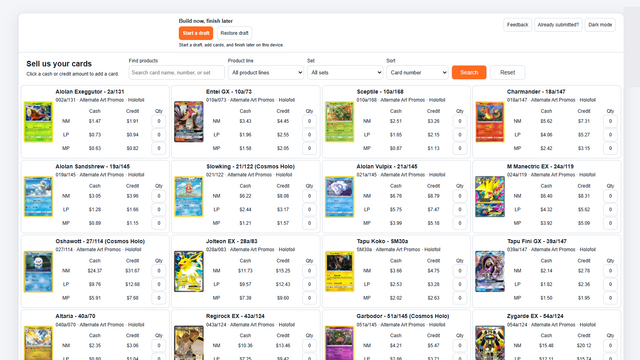
Choose buying lines separately from your selling lines. Set the products, conditions, cash and store-credit offers, then publish a customer page with your branding.
 Virtual Shop Manager
Home / Online Buylist Software for Shopify Card Stores
Virtual Shop Manager for Shopify
Give customers a simple way to sell cards to your store.
Choose buying lines separately from your selling lines. Set the products, conditions, cash and store-credit offers, then publish a customer page with your branding.
Set desired quantities, condition limits and intake rules. Customers choose the catalog product, printing, condition and quantity they are submitting.
Review submissions and record what arrived. Save checkmarks and notes, adjust received quantities or grades, and add an omitted supported product during inspection.
Preview changes to the received items and payout. Use the amendment process when the customer needs to review revised terms.
Import accepted stock with its exact catalog identity, received quantity and acquisition cost. Review any genuine exception in Alerts.
Keep shipment, stock import, payment recording and closure distinct. Use the customer documents and printable sorting lists for the receiving process.
Your store handles cash or store-credit payment; recording it in VSM does not itself pay the customer. Read the detailed Buylist guides.
See screenshots, pricing and merchant reviews on the Shopify App Store.